Case Study
Bay Area Trips
Turning a sprawling local-travel idea into one product that members, businesses and families share
- Client
- Bay Area Trips Travel and local discovery platform, USA
- My role
- Product Strategist & Designer Led the product with the founder
- Timeline
- Sep 2023 – Jan 2025
- Scope
- Product strategy, information architecture, account model, web and app UX/UI
- Industry
- Travel & local discovery Membership platform
- Markets
- San Francisco Bay Area, USA
Overview
Bay Area Trips wanted to be the one guide to the San Francisco Bay Area: where to stay, eat and go out, what’s on tonight, scavenger hunts across the city, and a travel club for members. Businesses would list themselves, sell tickets and hire local creators. Parents would bring their kids along.
The founder had the ideas. My job was to turn them into a product a team could build on a fixed budget: decide what the product was and who it was for, what each person could do, and how the website and the app fitted together.
What I led
The structure
One directory, one events calendar and one membership, shared by everyone, instead of a separate product for each idea.
The account model
Three account types, for members, businesses and kids, each with its own menu and limits, and a clear path from one to another.
Both sides of the market
Everything a member uses, a business creates: listings, events and tickets, hunts, products and paid gigs.
One structure, every platform
The website, the mobile web and the app follow the same map, so nobody has to learn the product twice.
The brief
Thirty ideas, all at the same volume.
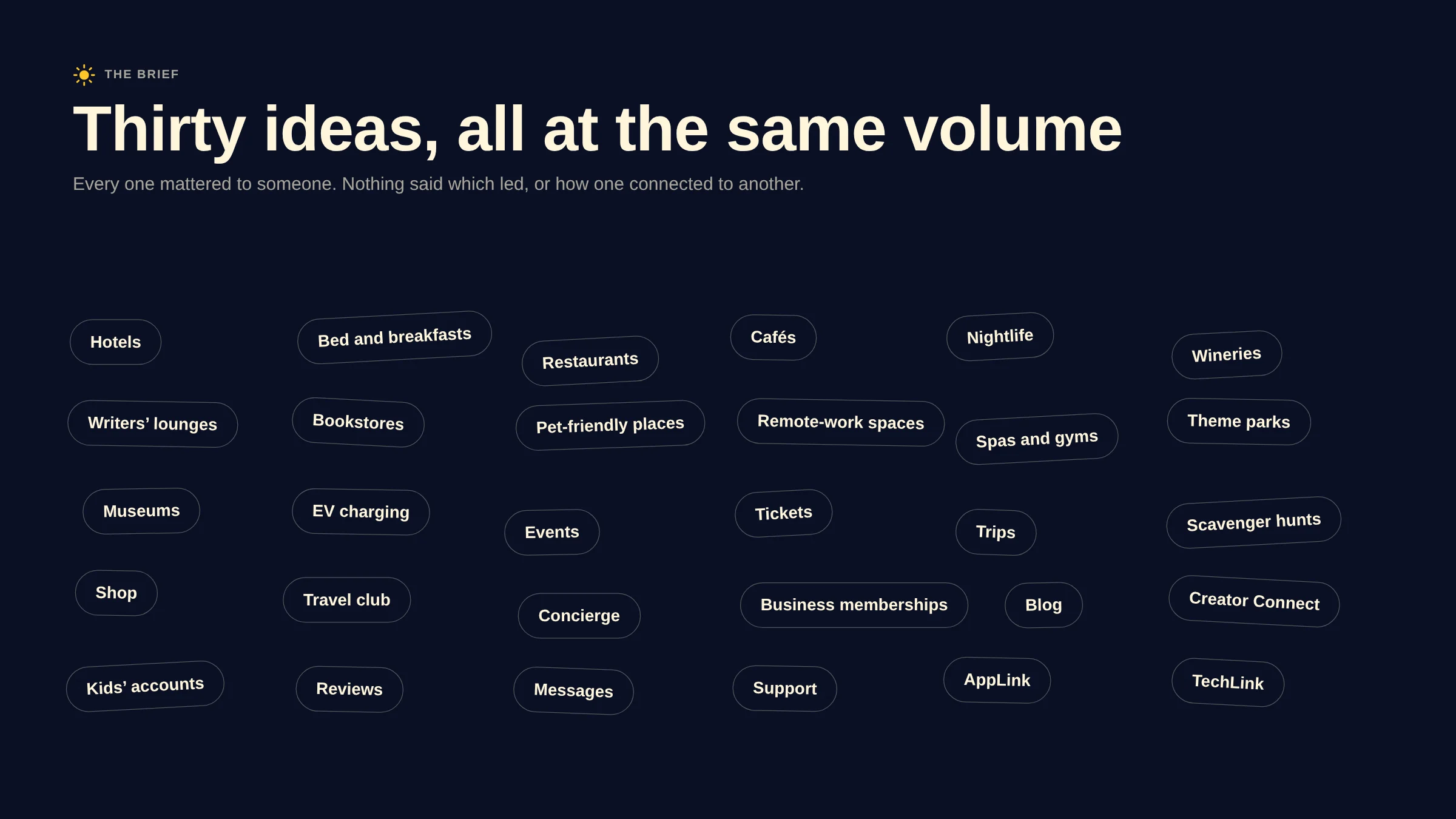
The brief arrived as a list: hotels, restaurants, nightlife, wineries, writers’ lounges and remote-work spaces; events, trips and scavenger hunts; a shop, a travel club, a concierge and EV charging; creator partnerships and kids’ accounts. Each one mattered to someone, and nothing said how they related.
Built as listed, it would have been a dozen small apps under one logo, each with its own rules, and more than the deadline and the budget allowed.
The structure
One directory, one calendar, one membership.
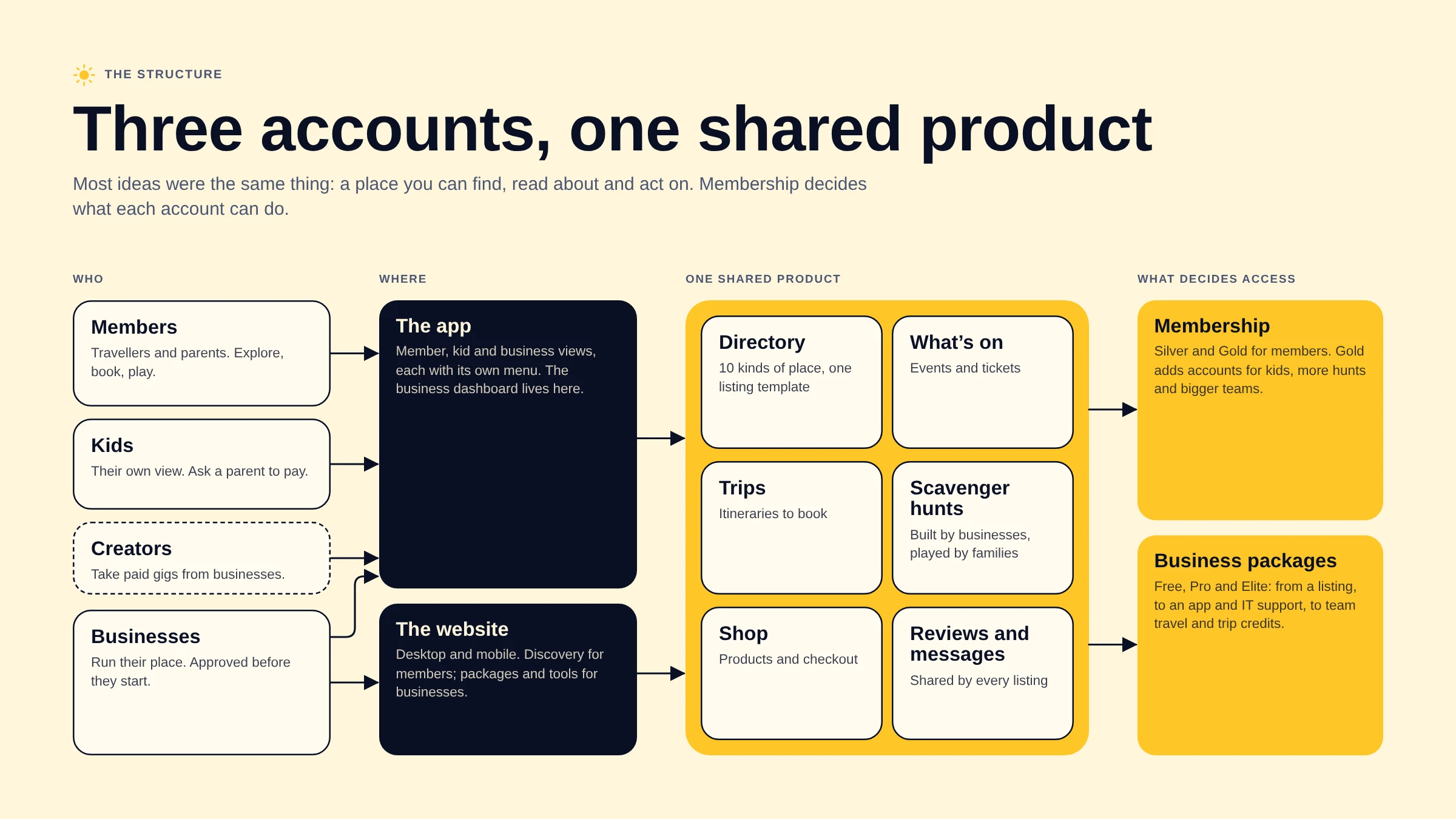
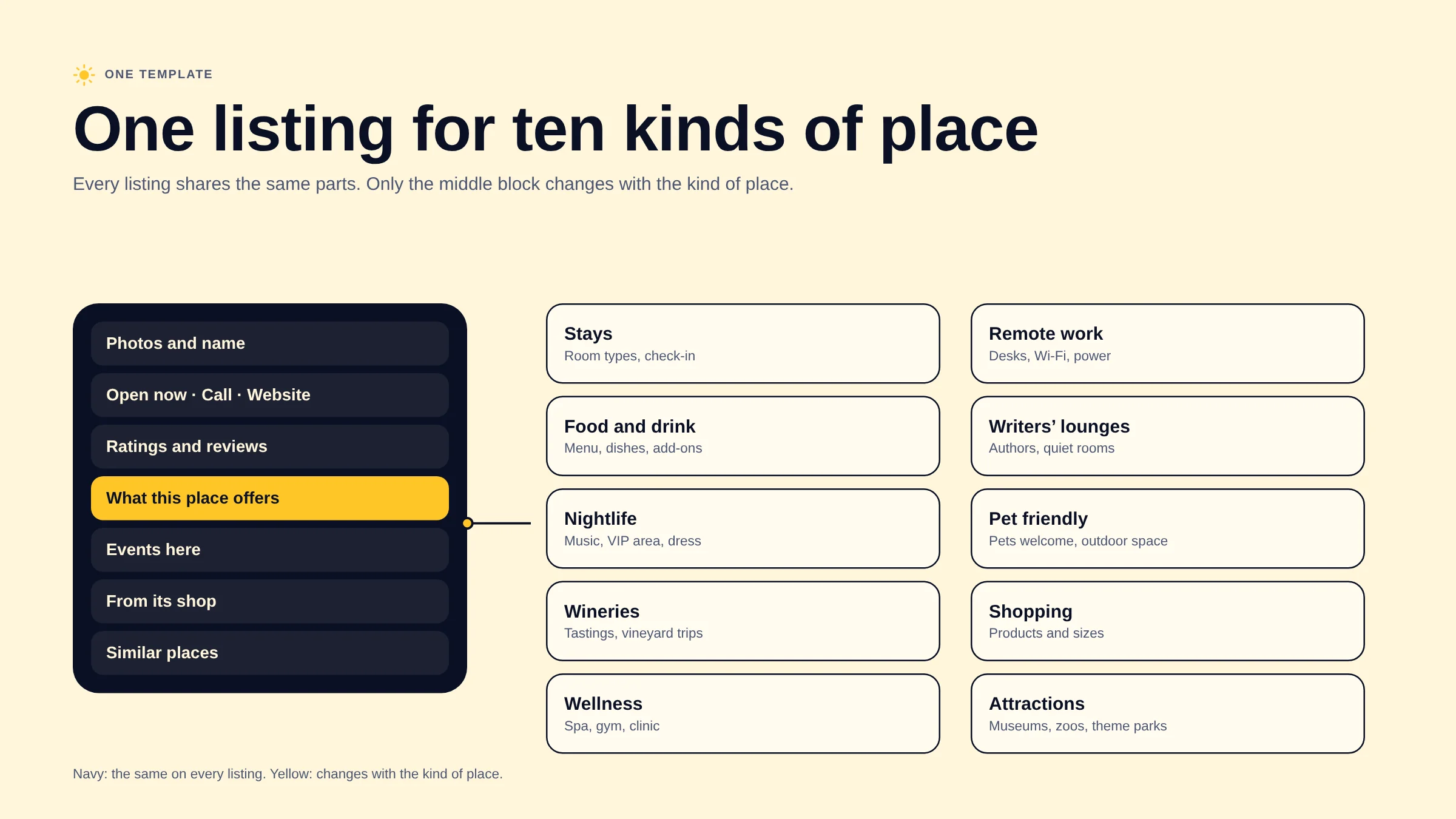
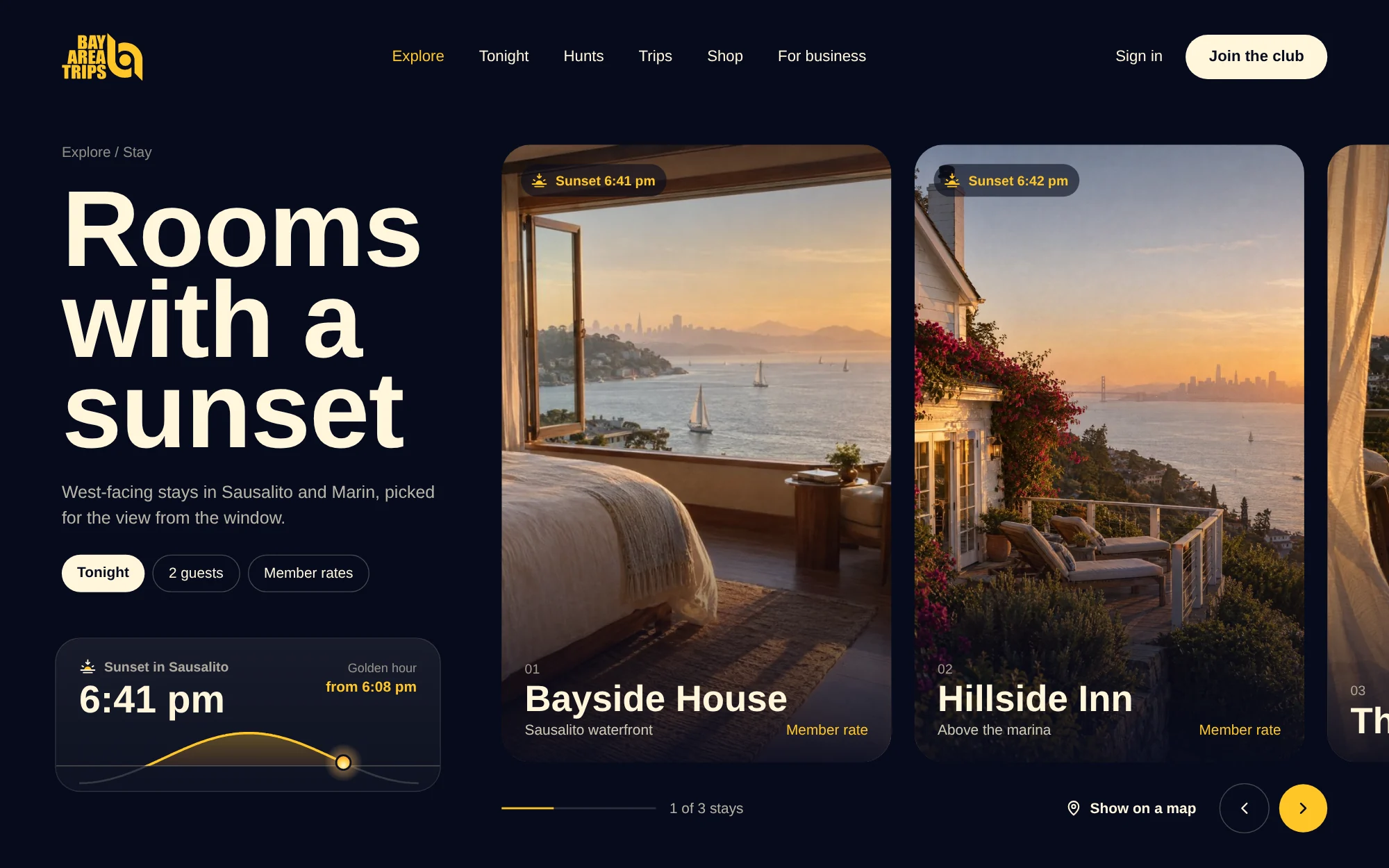
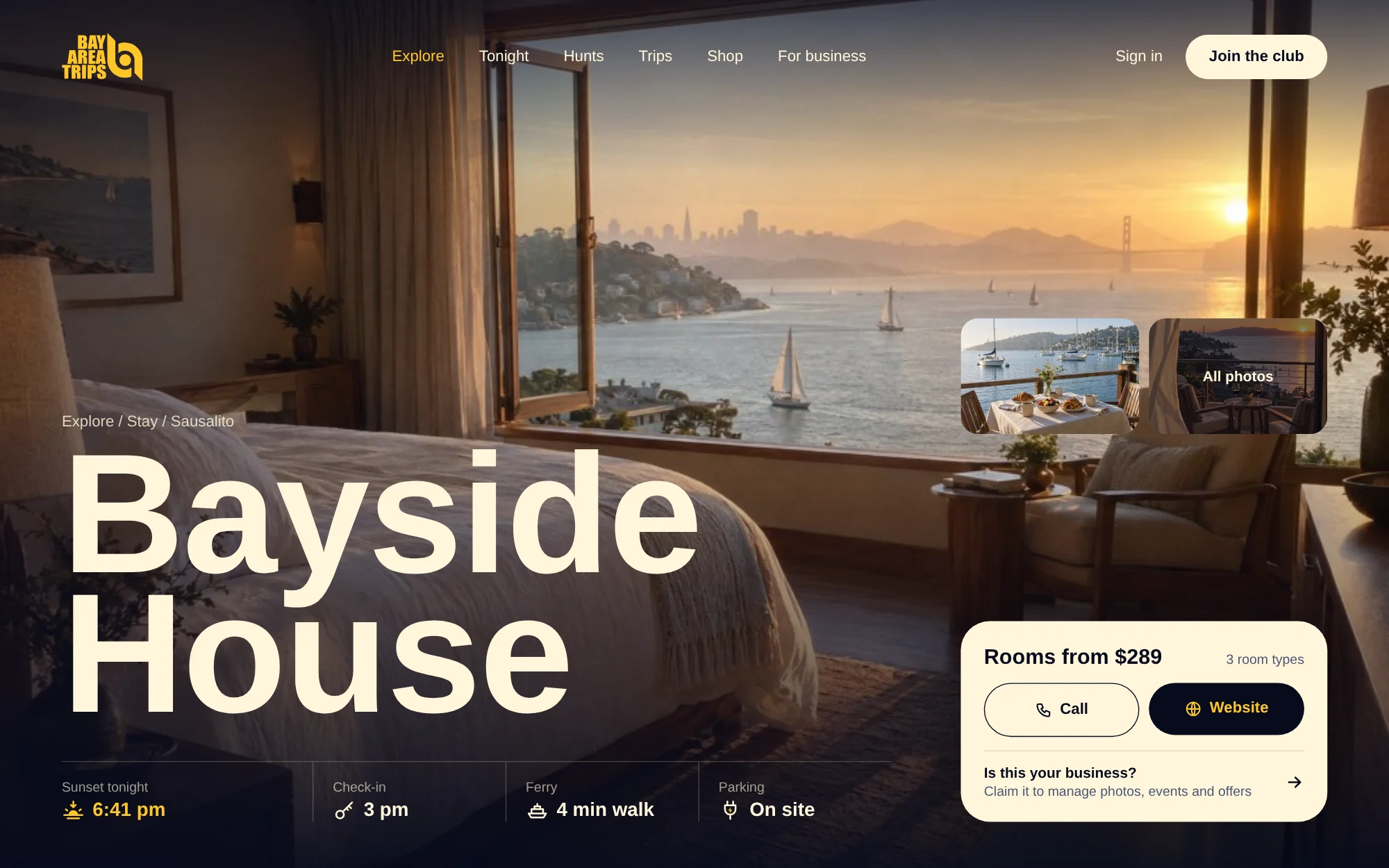
Before designing any screen, I mapped who the product served and what they would do in it. Most of the ideas turned out to be the same thing: a place someone can find, read about and act on. So stays, food, nightlife, wineries, wellness and remote work became categories of one directory, built on one listing template.
Events, trips and hunts sit beside the directory, because they happen at those places. Membership sits underneath everything, because it decides what each person can do. The website, the mobile web and the app follow the same structure, so a member or a business never has to learn the product twice.
The accounts
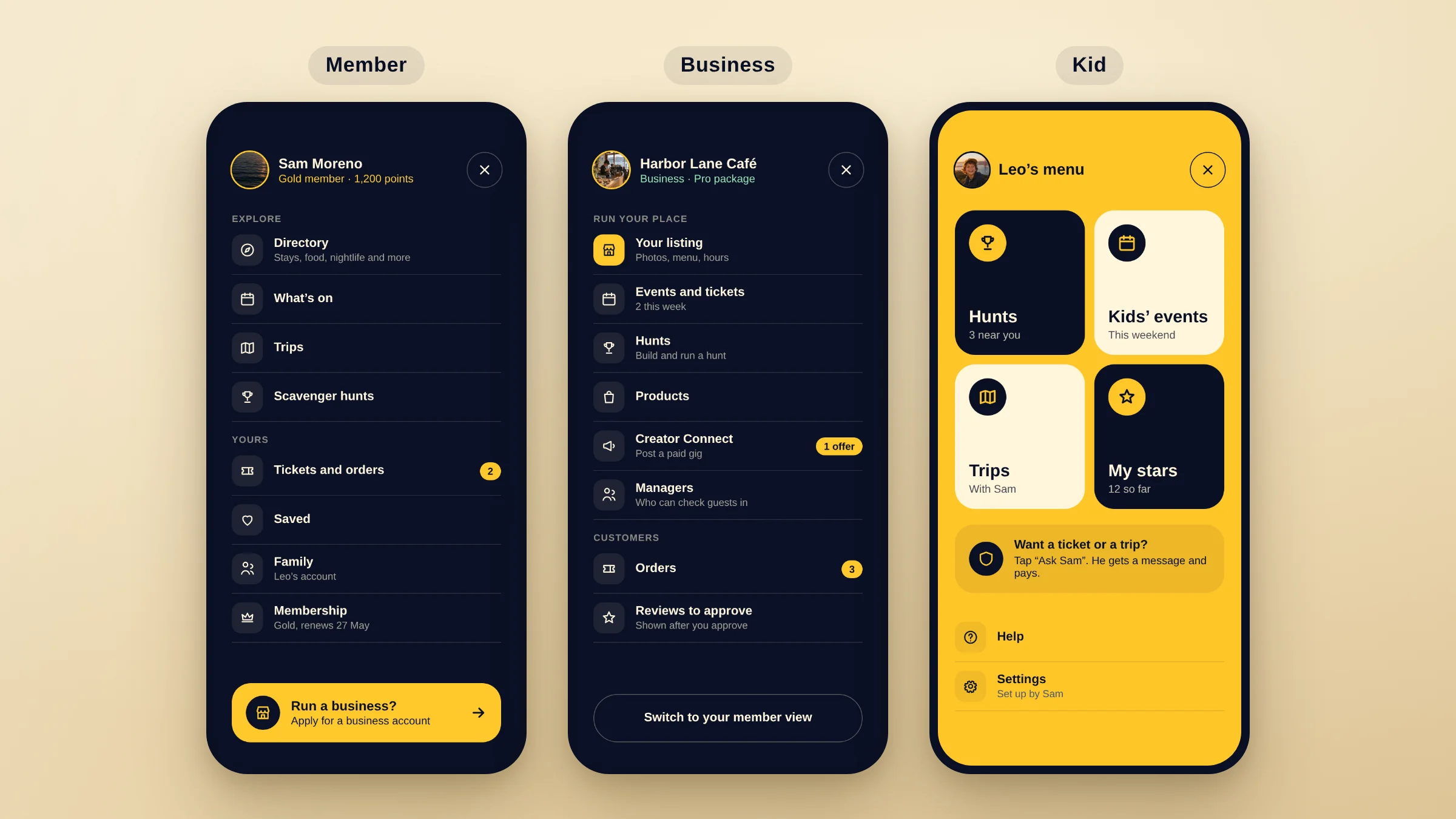
Three accounts, each with its own job.
Members explore and book. Businesses run their place. Kids get their own view, set up by a parent. Each account has its own menu, so nobody sees tools that aren’t theirs.
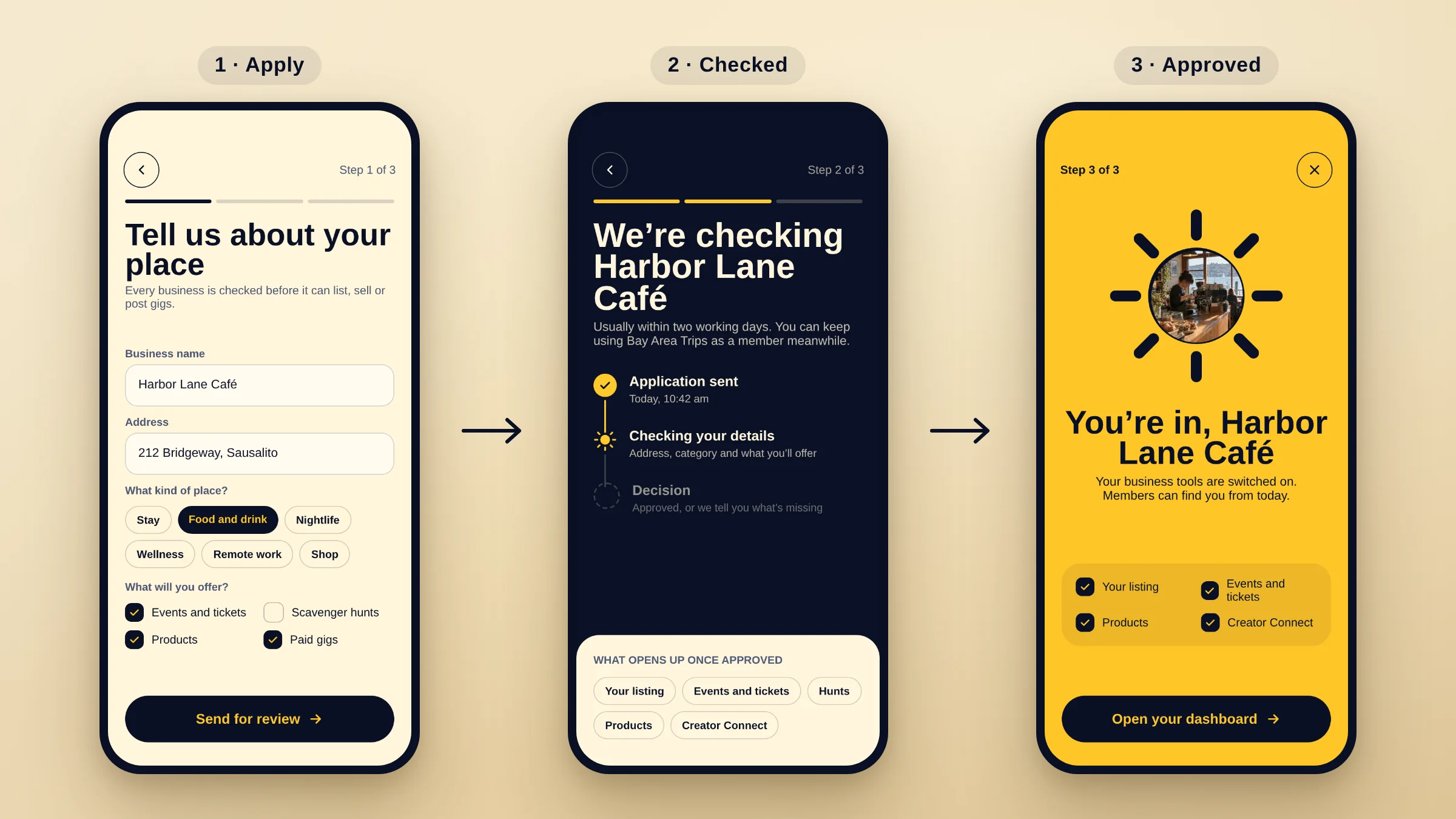
Becoming a business is a step, not a setting. A member applies, the team checks the business, and only then do the business tools switch on. That keeps fake listings away from members and holds every business on the platform to the same standard.
Both sides of the market
Everything a member uses, a business makes.
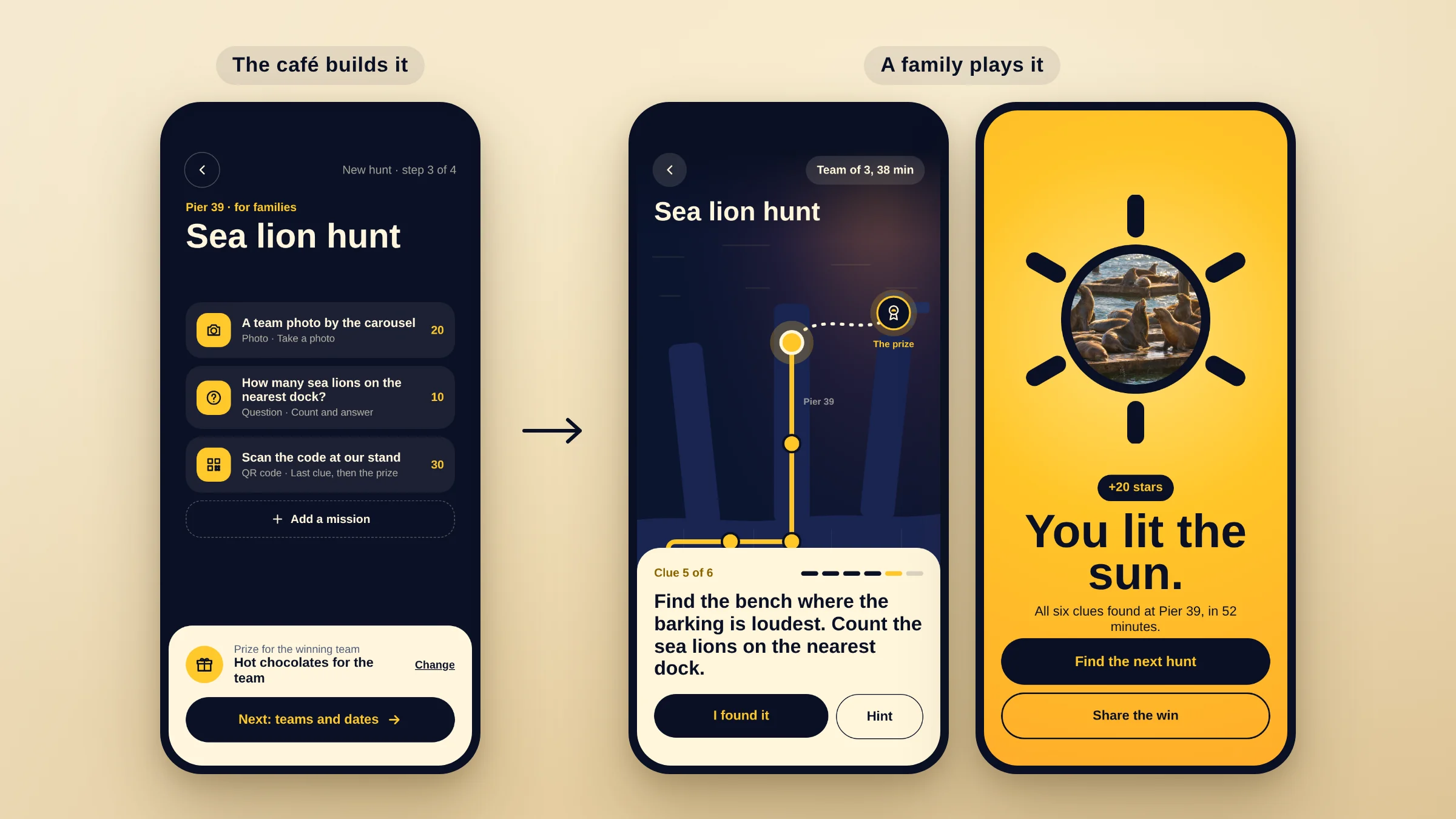
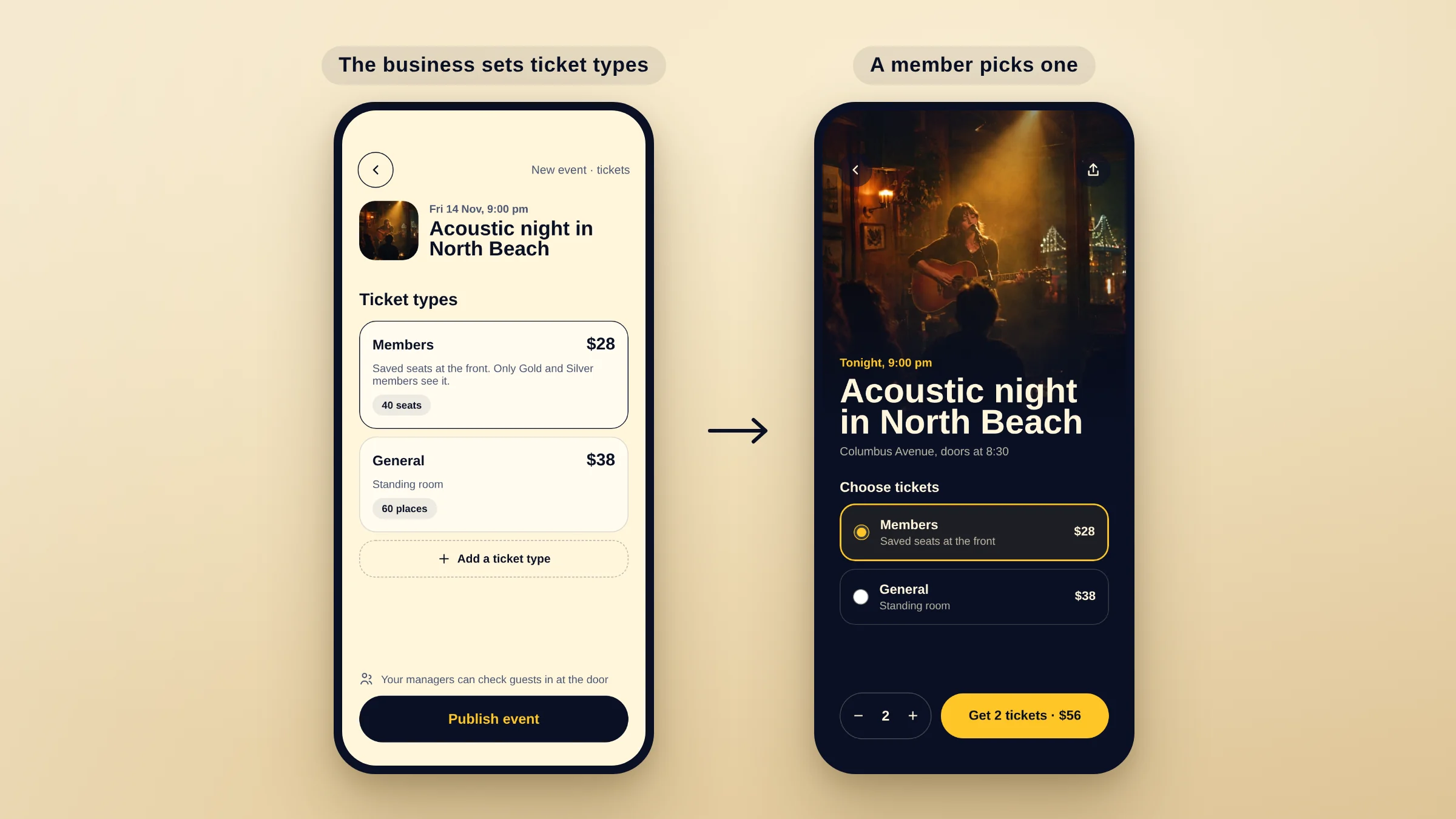
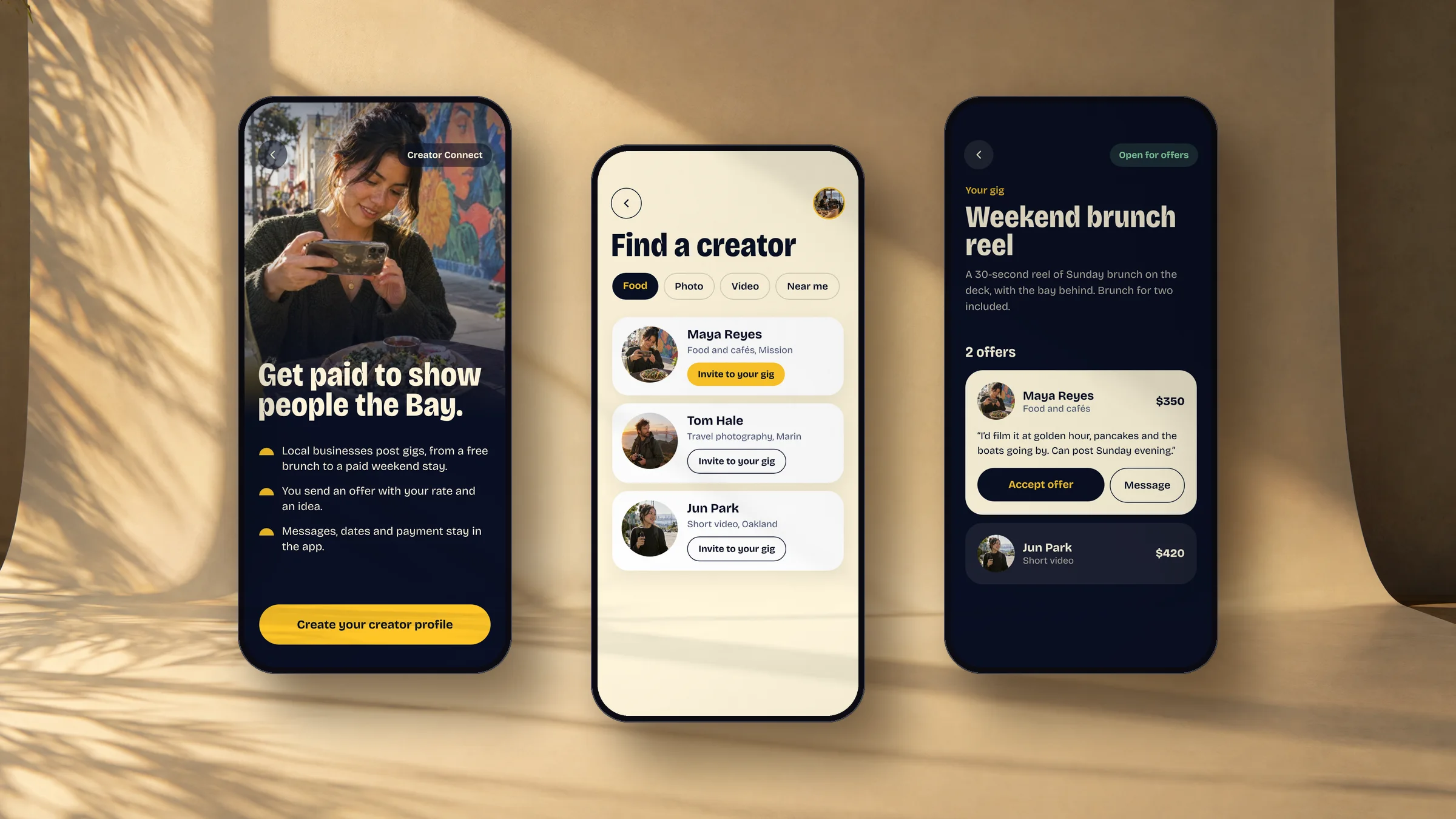
A café creates an event and sets the ticket types; a member picks a ticket. A business builds a scavenger hunt, with missions, a prize and teams, and families play it across the city. Businesses post paid gigs, and local creators take them.
Designing both sides together kept them consistent: every field a business fills in becomes something a member sees or uses.
Families
Kids explore. Parents stay in charge.
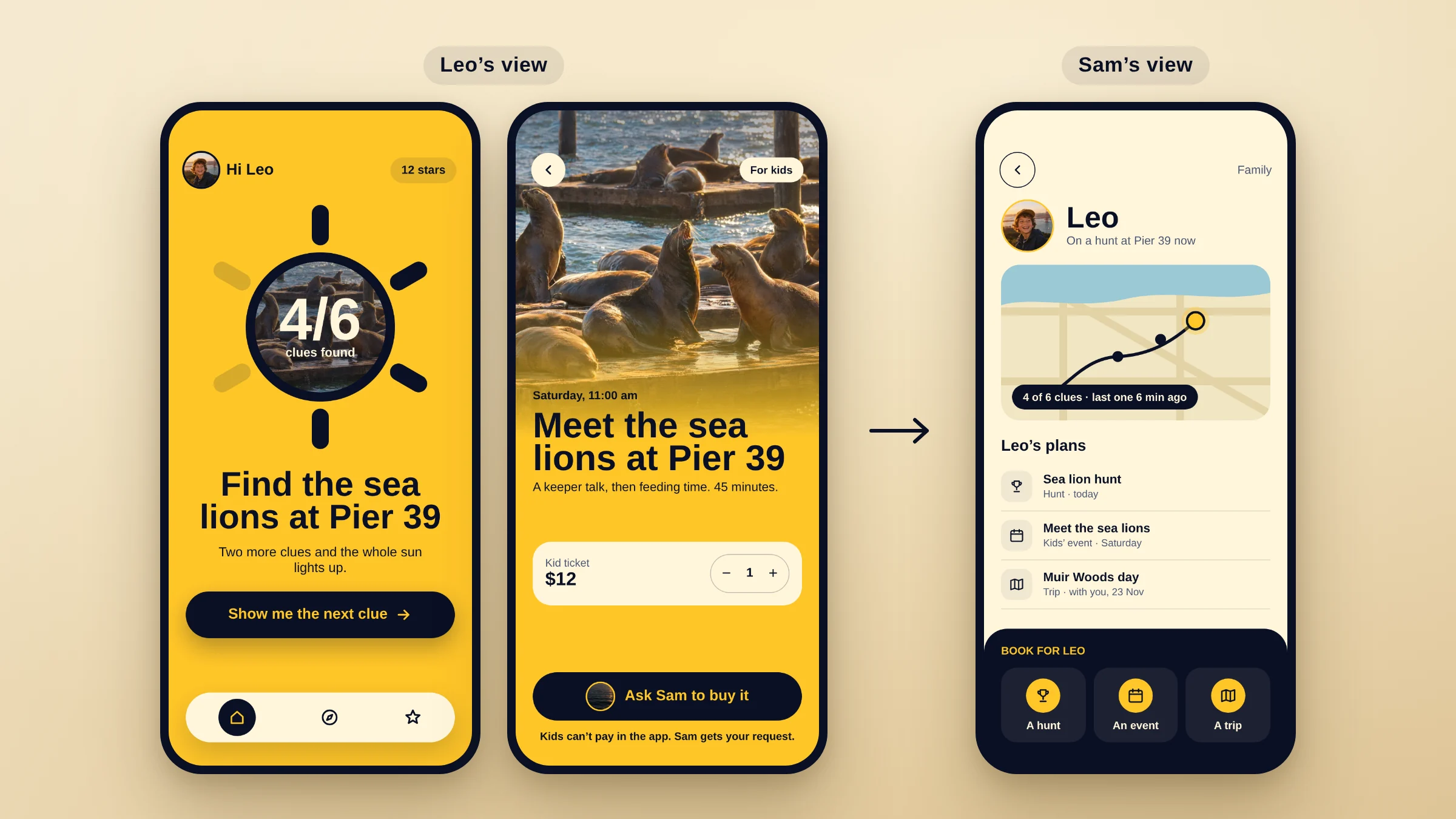
Kids get a simpler, brighter view with hunts, kids’ events and trips. They can’t pay in the app; they ask a parent instead. Parents see where a hunt has taken their child and what they’ve joined, and can book for them.
Family accounts come with the Gold membership, so the family side pays for itself.
Membership
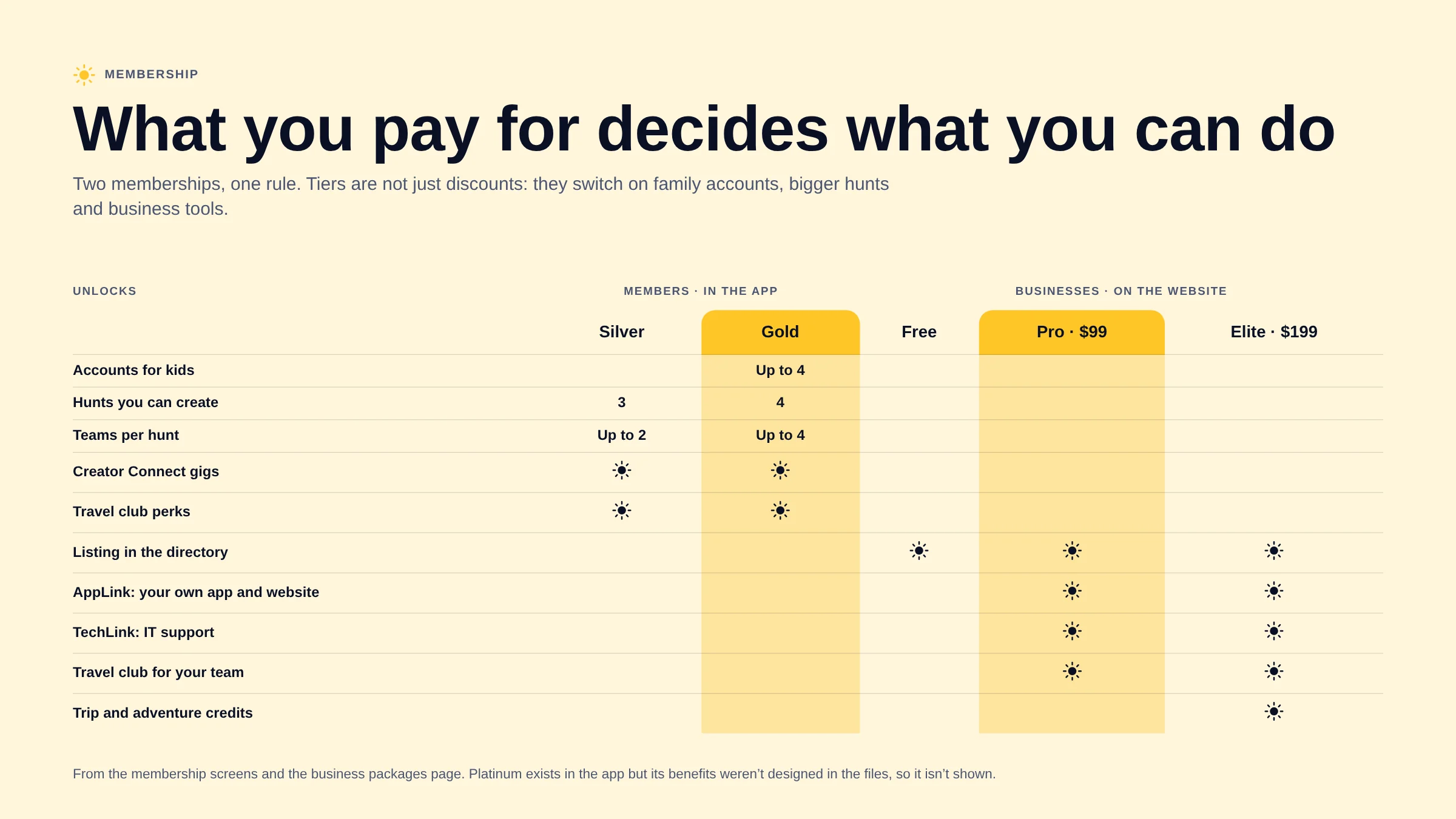
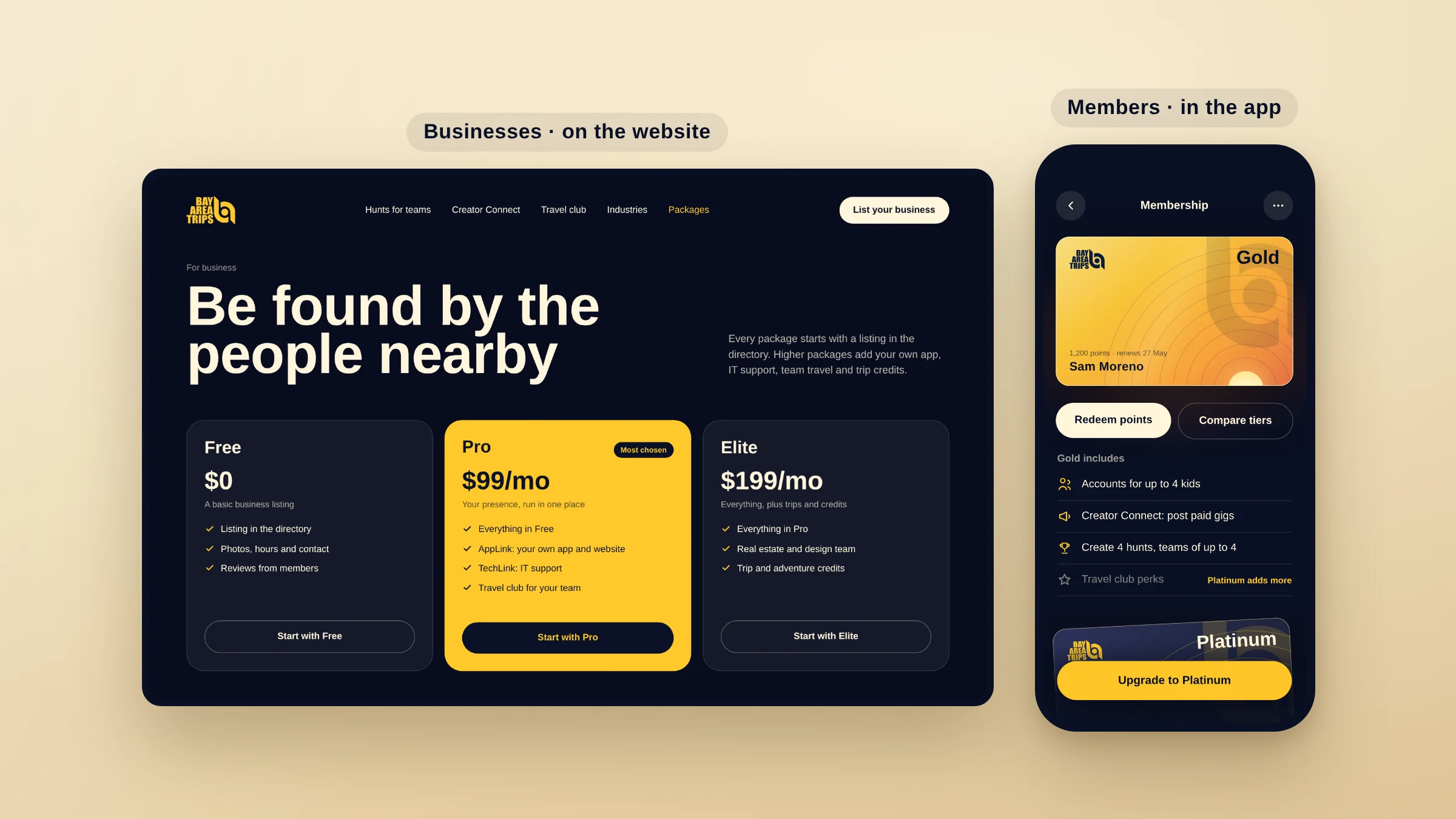
What you pay for decides what you can do.
There are two memberships. Businesses choose a package on the website, from a free listing to Pro and Elite with their own app, IT support, team travel and trip credits. Members choose Silver or Gold in the app.
The tiers aren’t just discounts. Gold adds accounts for kids, more hunts to create and bigger teams, so membership is also how the product decides who can do what.
What Changed
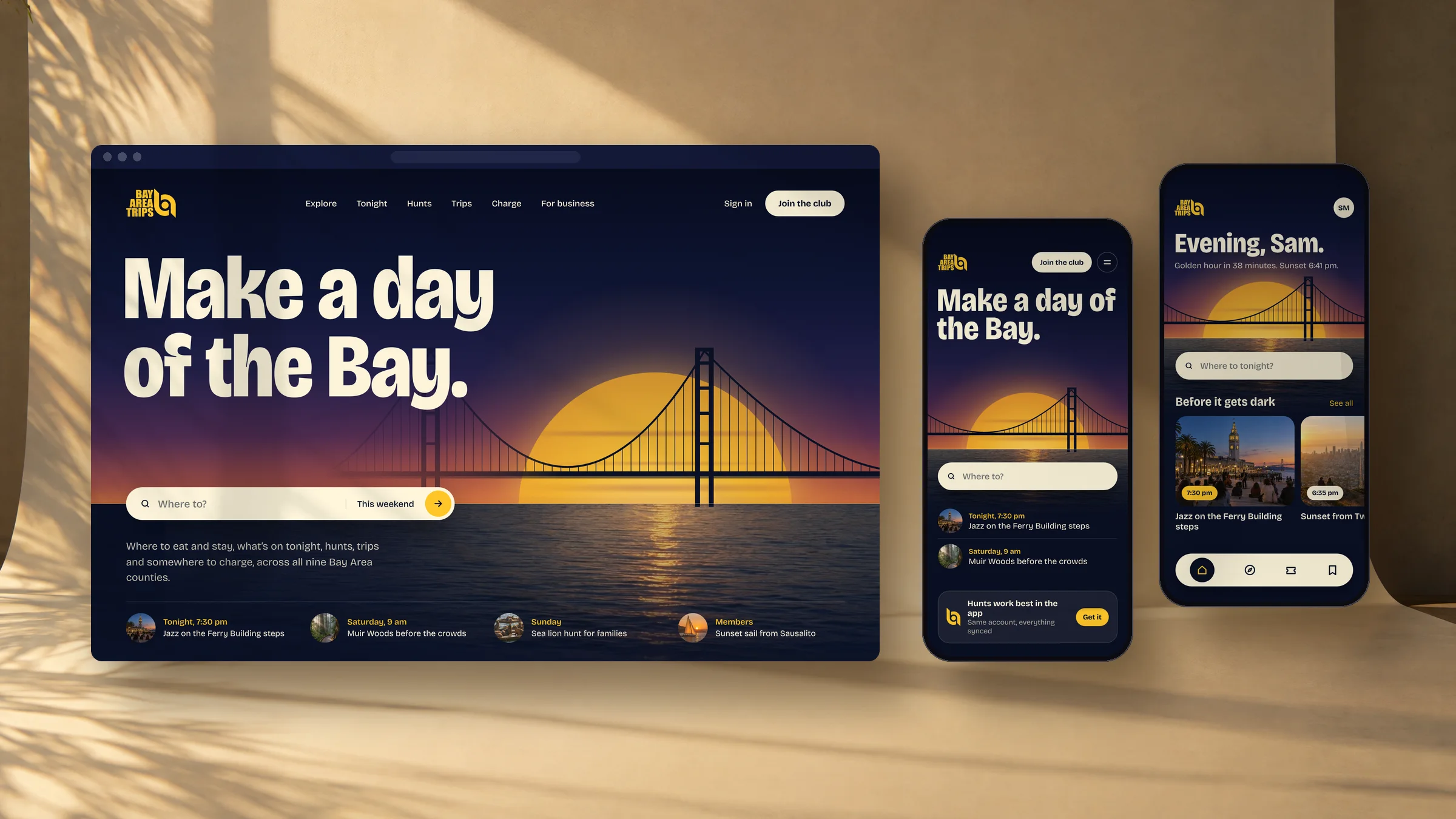
- Took the idea from concept to a live product on the web, mobile web and an app
- Three account types, for members, businesses and kids, on one shared directory, with Creator Connect for businesses and creators
- One listing template serving ten kinds of place
- More than 240 app screens across 19 areas, and the website at desktop and mobile
- Refined after launch with feedback from the first 200 users
Looking Back
My job was to make a big idea buildable. The product has changed since launch, as products should. The structure underneath is the part I’d defend in any room: one directory, three accounts and one membership deciding who can do what.
Product Strategy & Design: Amr Abu-Talleb · Client: Jared, Bay Area Trips · Screens redrawn in a new visual style for this case study, using the original flows